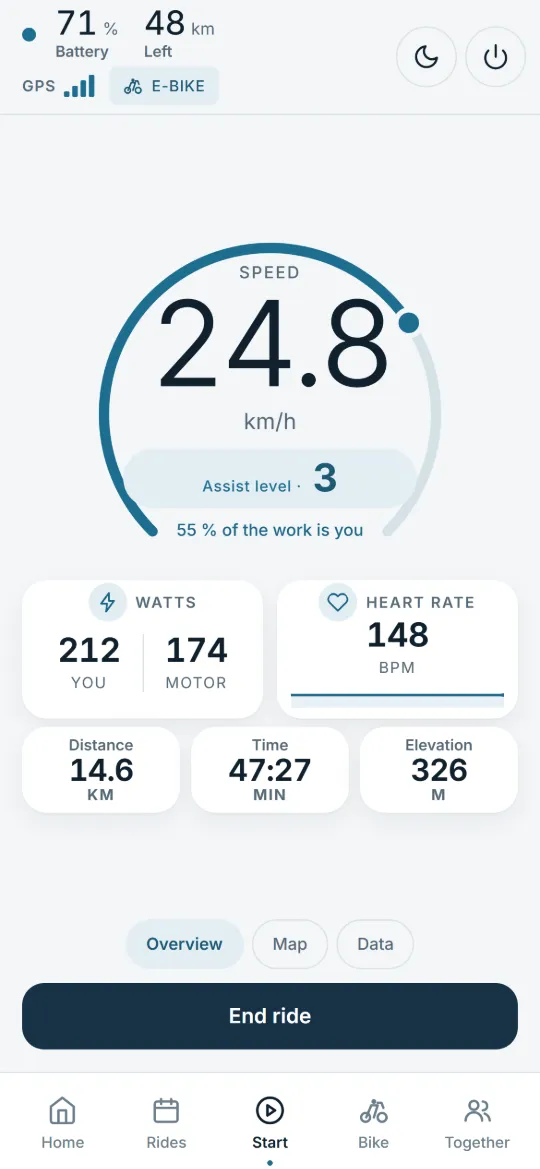
An e-bike computer with live data. With a supported bike, the ride screen splits the work in two: your watts and the motor’s. After the ride you see your share and how the assist was spread across the modes.
Read from the bike. Battery, assist level and motor watts come from the bike when the system sends them, not from an estimate.
After the ride
A smarter view of every ride.
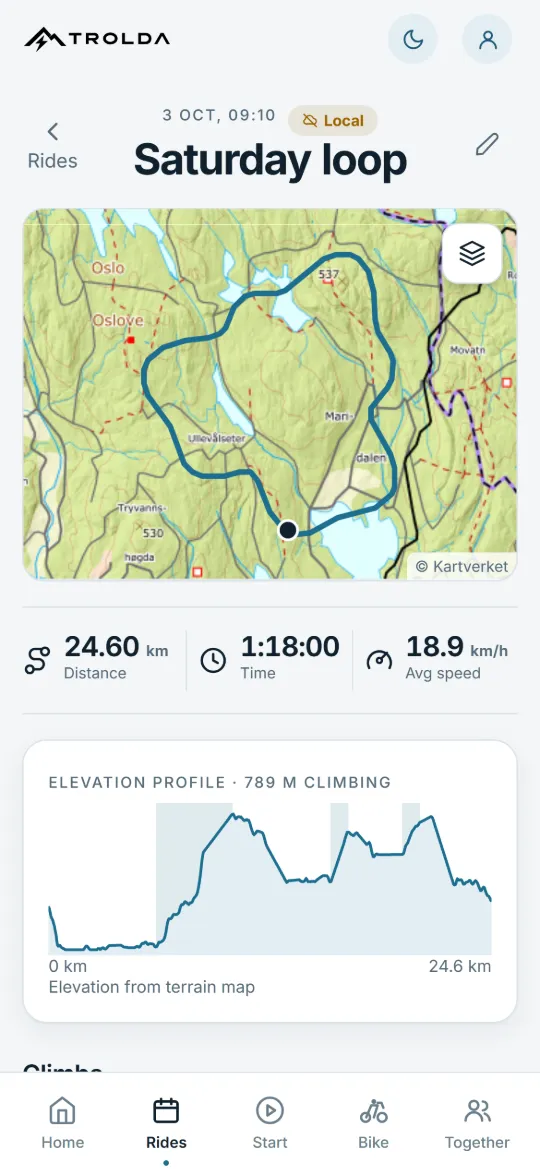
The route, the elevation profile and the numbers from each ride.
The sculpture behind the phone follows the elevation profile on the screen. Example data.
Every ride
Every ride tracked, with or without coverage.
GPS ride tracking with route, distance, moving time, average speed and elevation. Each ride is saved on your phone first, so you can compare your rides over time.
Distance
24.60 km
Time
1:18:00
Average speed
18.9 km/h
Elevation gain
789 m
Example data from the ride details.
Is your bike supported?
The motor decides what Trolda can read. Type your bike the way you know it, and we will find the system.
Supported motor systems
Bosch Smart System
Giant SyncDrive
Gobao
TQ HPR
Pinion MGU
More motor systems are added continuously.
Without a supported motor, Trolda still records your ride with GPS.
02 Battery & history · Know your bike
Your e-bike’s history starts today.
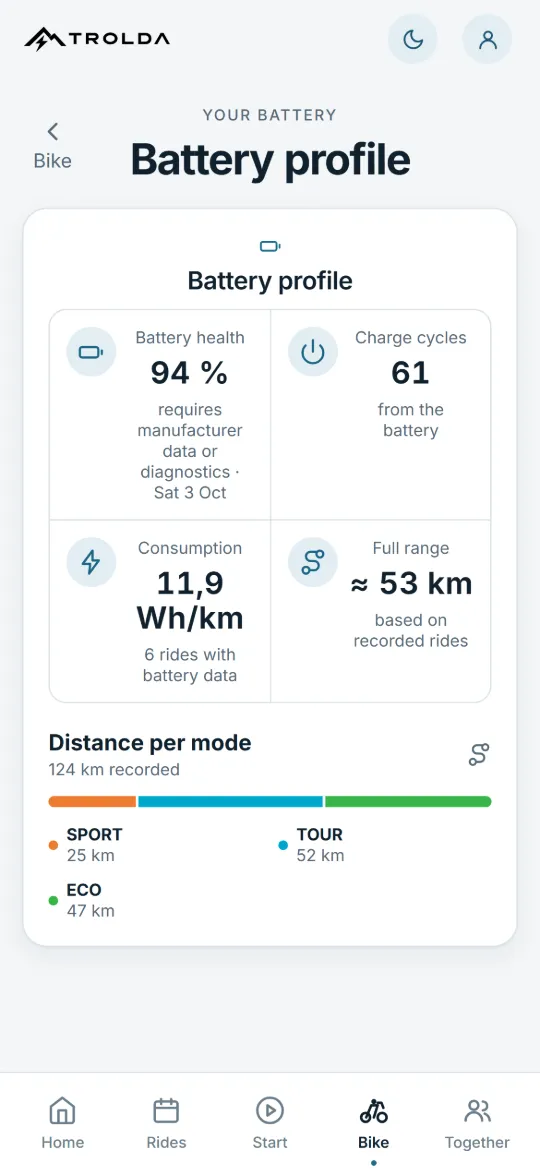
Track available battery and motor data over time. Build a history you can share when it’s time to sell your bike. What is available depends on the motor system.
Know your e-bike before you buy. Document it before you sell.
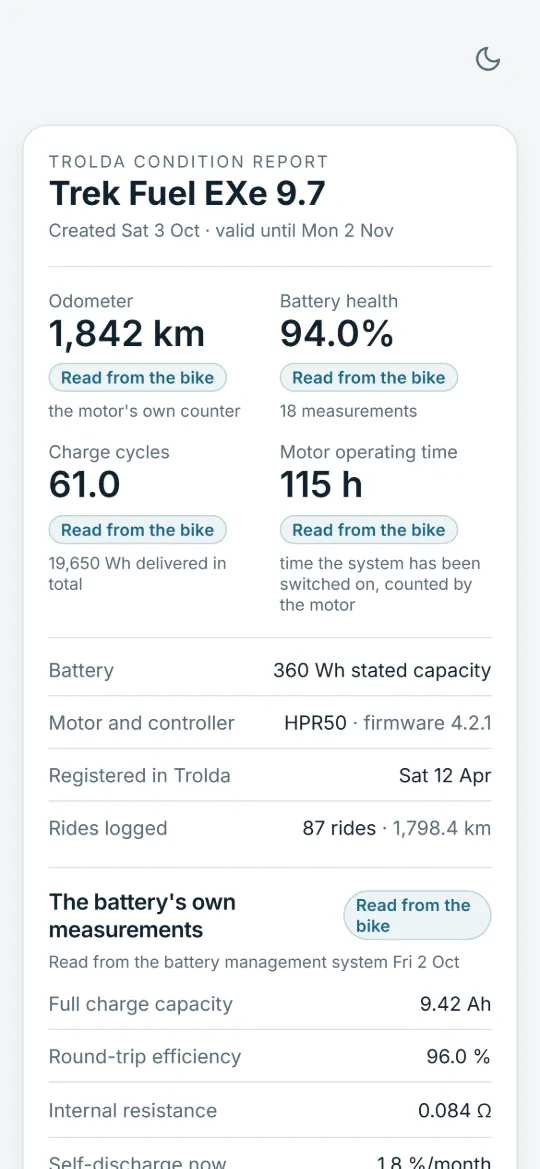
Selling a used e-bike? Create a condition report with the information available about the bike, motor and battery, plus the history recorded in Trolda: odometer, battery health, charge cycles and motor operating time when the bike shares them. The buyer opens the link without an account, and every figure shows where it comes from.
Read from the bikeCalculated by TroldaProvided by the owner
Available information varies by bike. The report does not replace a physical inspection.
Battery health over time
Battery health, charge cycles and consumption per kilometre, when your system shares them. Trolda reads them again on every ride, so your battery history grows with the bike.
Your motor
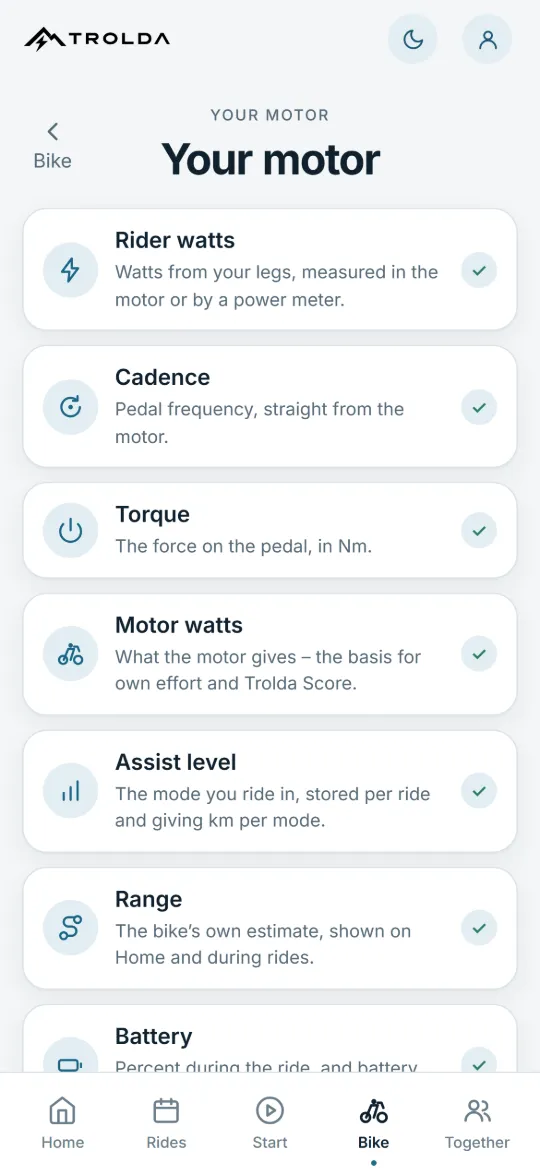
Diagnostic data from the motor, such as torque and operating hours, and a clear view of what your bike does not send.
Illustrative app view. All figures are sample data.
Connect with friends, join groups, explore segments and compare your rides, also with riders on other supported motor systems.
Friends and groups. Invite friends with your link or join a group with its code. Friends only see the rides you share.
Rides together. Share a ride with your group and see who was out at the same time.
Segments and leaderboards. Turn a climb or a favourite stretch into a segment and share it with your group. Leaderboards rank your own effort, lowest motor use and time.
This month’s contest. Every month, group members compete on the energy from their own legs.
Riders with different supported motor systems can share a group. Each bike measures rider power with its own system, so figures from different motors are not standardised.
Get Trolda for iPhone or Android. The download button takes you to the right place for your phone.
2
Connect your bike
Switch the bike on and pick it in the app. Without Bluetooth, skip this step.
3
Ride
Tap Start ride. When you get home, the route and the numbers are ready.
Good to know.
How much does Trolda cost?
Trolda and the condition report are free during the launch period, with no subscription. If that changes, prices will be shown here before they apply to you.
What if my motor is not supported?
Trolda then records speed, distance, time and elevation with GPS, and you can keep a maintenance log. Watts and battery from the motor arrive once your system is supported.
What does the condition report tell me?
It brings together available bike information and shows its source. It distinguishes readings, calculated values and information from the owner. The report is not a workshop inspection or a guarantee of the bike’s mechanical condition.
Do I need mobile coverage on my ride?
Ride recording is saved on your phone and can continue without mobile coverage. Syncing and sharing reports require an internet connection. Offline recording does not mean every online feature works without a connection.
Who can see my rides?
Rides are stored on your phone, with a cloud backup if you have an account. Friends only see rides you share, and on a shared map the start and end are cut off.
Does the buyer need Trolda?
No. The report link opens in a browser without an account or installation. It lasts for 30 days. The person who created the report can revoke it sooner.
Your next ride. More to bring home.
Download Trolda for iPhone or Android and start with your next ride.